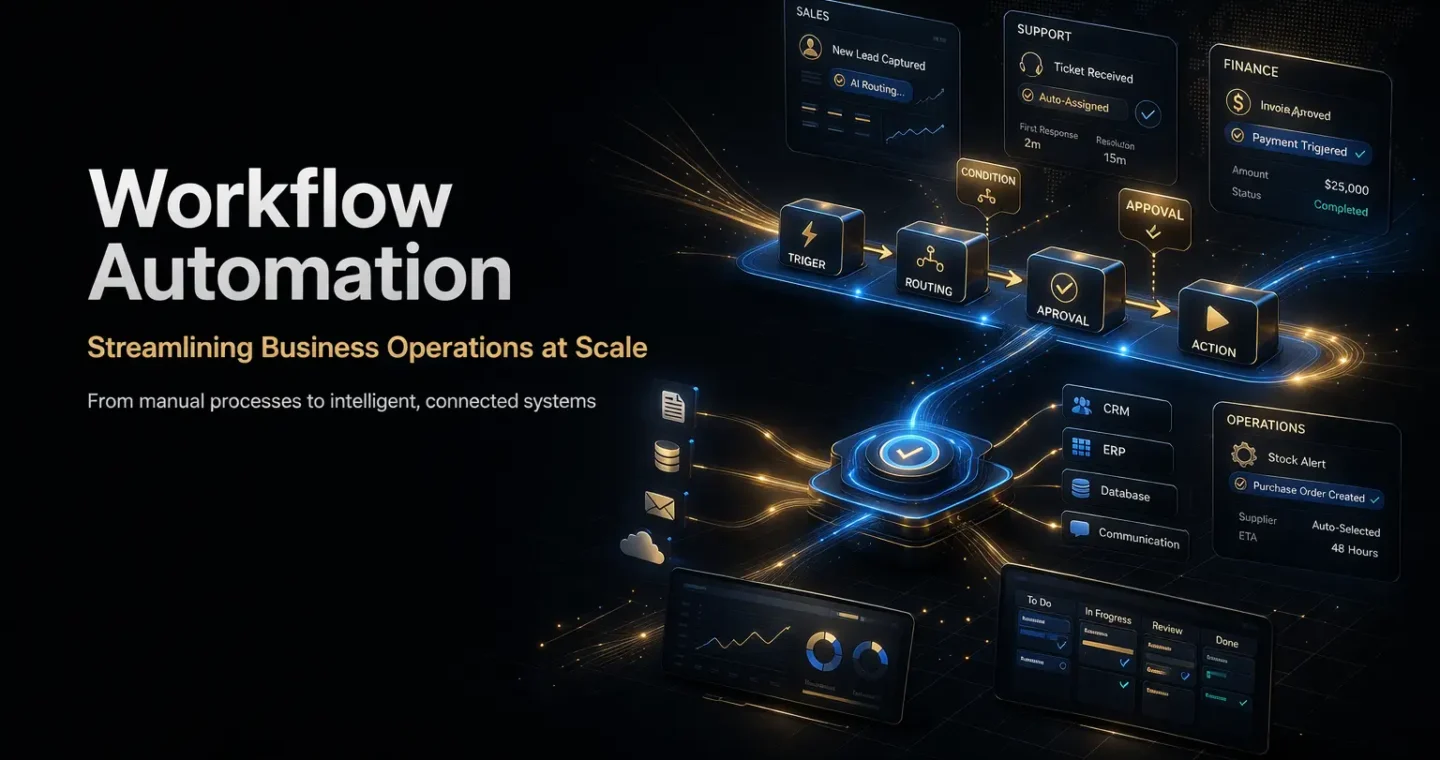
Workflow automation is the practice of using software to streamline repetitive tasks, standardize processes, and reduce manual work across a business. Microsoft defines business process automation as using technology to streamline routine and repetitive work so it runs faster, more accurately, and more consistently, while IBM describes workflow automation as replacing manual tasks with software that executes all or part of a process.
For businesses, workflow automation is not just about saving time.
It is about building systems that make operations more scalable, more reliable, and less dependent on manual coordination. When workflows are handled manually, teams spend too much time moving information between tools, chasing approvals, updating records, and repeating the same low-value steps. Workflow automation reduces that friction and creates a more efficient operating model.
This guide explains what workflow automation means, how it works, where it creates business value, and how companies can automate business processes in a practical and controlled way.
What workflow automation actually means
Workflow automation means turning a sequence of business tasks into a repeatable system that runs automatically or semi-automatically based on rules, triggers, and logic.
A workflow usually includes:
- a trigger
- a sequence of actions
- decision points
- handoffs between people or systems
- a final outcome
Automation applies technology to that workflow so parts of it happen with less manual effort.
For example:
- a form submission triggers a lead assignment
- an invoice email triggers extraction and routing
- a support ticket triggers categorization and escalation
- a completed task triggers a notification, record update, or approval request
IBM notes that workflow automation can orchestrate straight-through, human-assisted, or case-based processes and provide visibility into each step.
Workflow automation vs business process automation
The two terms are often used together, and in practice they overlap.
Workflow automation usually focuses on a defined sequence of tasks, approvals, and handoffs.
Business process automation is broader. Microsoft describes it as streamlining routine and repetitive work across an organization, from invoicing to onboarding, using technology to replace manual work with more consistent execution.
A simple way to think about it:
- workflow automation = automate the flow of work
- business process automation = automate broader operational processes across teams and systems
Most businesses use workflow automation as one of the practical building blocks inside a larger business process automation strategy. This is an inference based on Microsoft’s broader BPA framing and IBM’s workflow-specific definitions.
Why workflow automation matters for business
Workflow automation matters because most business operations contain repetitive coordination work.
Teams repeatedly:
- move data between tools
- assign tasks
- request approvals
- send follow-ups
- update records
- notify stakeholders
- check status manually
These steps are often necessary, but they do not always require human judgment.
Microsoft says automation improves speed, accuracy, consistency, and scalability, while IBM highlights productivity gains and streamlined operations.
For B2B companies, the value usually shows up in four areas:
Efficiency
Automation removes repetitive admin work and reduces process delays.
Accuracy
Standardized workflows reduce avoidable human error and missed steps.
Visibility
Automated workflows make it easier to track status, ownership, and bottlenecks across teams. IBM explicitly highlights visibility into each step as part of workflow automation.
Scalability
As a business grows, manual processes break faster than systems do. Workflow automation helps operations scale without adding friction at the same rate.
How workflow automation works
Most workflow automation systems follow a simple model.
Trigger
Something starts the workflow.
Examples:
- a form is submitted
- an email arrives
- a CRM record changes
- a contract is uploaded
- a task reaches a new stage
Logic
The system evaluates rules or conditions.
Examples:
- if the lead is enterprise, route to senior sales
- if the invoice exceeds a threshold, request approval
- if the ticket is urgent, escalate immediately
Action
The system performs one or more tasks.
Examples:
- assign an owner
- send a notification
- update a status
- create a task
- move data to another system
- generate a summary
Review or handoff
In some workflows, a human reviews or approves the next step.
IBM explicitly notes that workflow automation can support straight-through and human-assisted processes, which is important for real-world business operations.
Common types of workflow automation
Workflow automation is not one single model. Businesses usually implement a mix of these patterns.
Rule-based workflow automation
This is the most common starting point.
The workflow follows predefined rules:
- if X happens, do Y
- if condition A is true, route to team B
This works well when logic is clear and repeatable.
Approval workflow automation
This is used for requests, reviews, and controlled decision-making.
Examples:
- budget approvals
- procurement requests
- content approvals
- contract signoff
- onboarding access requests
Document workflow automation
This focuses on document-heavy business processes.
Examples:
- invoice handling
- proposal creation
- contract routing
- intake forms
- reporting workflows
AI-assisted workflow automation
Some workflows now include AI to interpret messy inputs, summarize documents, classify requests, or generate drafts before the workflow continues.
That is where workflow automation overlaps with AI automation, but it still needs controls, validation, and process design. NIST’s AI Risk Management Framework emphasizes managing trustworthiness, transparency, safety, and accountability when AI is involved in operational systems.
Business processes that are good candidates for automation
The best candidates for workflow automation are processes that are repetitive, rules-based, and frequent enough to create real operational drag.
Strong candidates include:
- lead routing
- onboarding workflows
- support ticket triage
- invoice processing
- approval requests
- CRM updates
- internal reporting
- document handoffs
- task assignment
- follow-up reminders
A good process for automation usually has:
- a clear trigger
- predictable steps
- repeated handoffs
- enough volume to justify automation
- measurable business value
Business processes that should not be automated too early
Not every workflow should be automated immediately.
Poor candidates include:
- highly inconsistent processes
- workflows with undefined ownership
- tasks that require expert judgment at every step
- broken processes that have never been standardized
- high-risk decisions with no governance layer
Automation works best after the process itself is clarified.
If a workflow is chaotic, automation often just makes the chaos run faster.
Workflow automation use cases for B2B companies
Sales operations
Examples:
- assign inbound leads by region or fit
- create follow-up tasks automatically
- notify sales when a lead becomes qualified
- generate handoff workflows between marketing and sales
Customer support
Examples:
- classify tickets by issue type
- route cases by urgency
- assign follow-up tasks
- notify teams when SLA thresholds are close
HR and people operations
Examples:
- employee onboarding checklists
- approval workflows for access and equipment
- offboarding steps across systems
- policy acknowledgment workflows
Finance and administration
Examples:
- invoice approvals
- expense request routing
- procurement workflows
- contract review handoffs
Internal operations
Examples:
- project status updates
- recurring reporting workflows
- task routing between departments
- documentation and review steps
These use cases align with Microsoft’s examples of automation across invoicing, onboarding, and other routine operational work.
The business benefits of workflow automation
A strong workflow automation strategy can improve:
Speed
Processes move faster because fewer steps depend on manual follow-up.
Consistency
The same process runs the same way every time unless designed otherwise.
Operational clarity
Teams know what happens next, who owns the next step, and where work is stuck. IBM’s workflow guidance emphasizes visibility throughout the process.
Better use of team time
People spend less time on repetitive coordination and more time on judgment, strategy, and customer-facing work.
How to automate business processes the right way
A lot of workflow automation projects fail because companies start with tools instead of process design.
The better approach is this:
Start with one process
Choose one workflow with clear business value.
Examples:
- inbound lead routing
- support escalation
- invoice approval
- onboarding requests
Map the current workflow
Before automating anything, document:
- the trigger
- each step
- decisions and exceptions
- who owns each part
- what tools are involved
- where delays or errors happen
Remove unnecessary steps first
Do not automate waste.
Simplify the process before turning it into a system.
Define success metrics
Track outcomes such as:
- time saved
- cycle time reduction
- fewer errors
- faster handoffs
- lower admin workload
- improved SLA performance
Add human review where needed
For sensitive or high-risk actions, use approval checkpoints instead of full autonomy.
That becomes even more important when AI is involved. NIST recommends managing risks throughout the design, development, deployment, and use of AI systems.
Workflow automation and AI automation are not the same
This distinction matters.
Workflow automation can be fully rule-based.
AI automation adds model-driven interpretation, summarization, classification, or decision support into the workflow.
For example:
- workflow automation = when a form is submitted, assign it to a queue
- AI automation = read the submission, determine intent, summarize it, and then route it intelligently
AI can make workflows more flexible, but it also increases the need for governance, testing, and oversight. NIST’s AI RMF is directly relevant here because it focuses on valid, reliable, safe, secure, accountable, transparent, and privacy-enhanced AI use.
Common workflow automation mistakes
Businesses often make the same mistakes:
- automating a bad process
- starting too big
- ignoring exceptions
- overcomplicating simple workflows
- forgetting ownership and governance
- not measuring outcomes
- using AI where basic logic would work better
The companies that scale operations well are rarely the ones doing more manual coordination. They are the ones building systems that remove friction before it compounds. Workflow automation is not just an efficiency upgrade. It is an operational advantage. For businesses ready to turn repetitive processes into scalable systems, our AI workflow automation services are built to do exactly that.
For most B2B companies, the right place to start is not “automate everything.”
It is:
- pick one process
- simplify it
- automate the repeatable parts
- measure the result
- expand from there