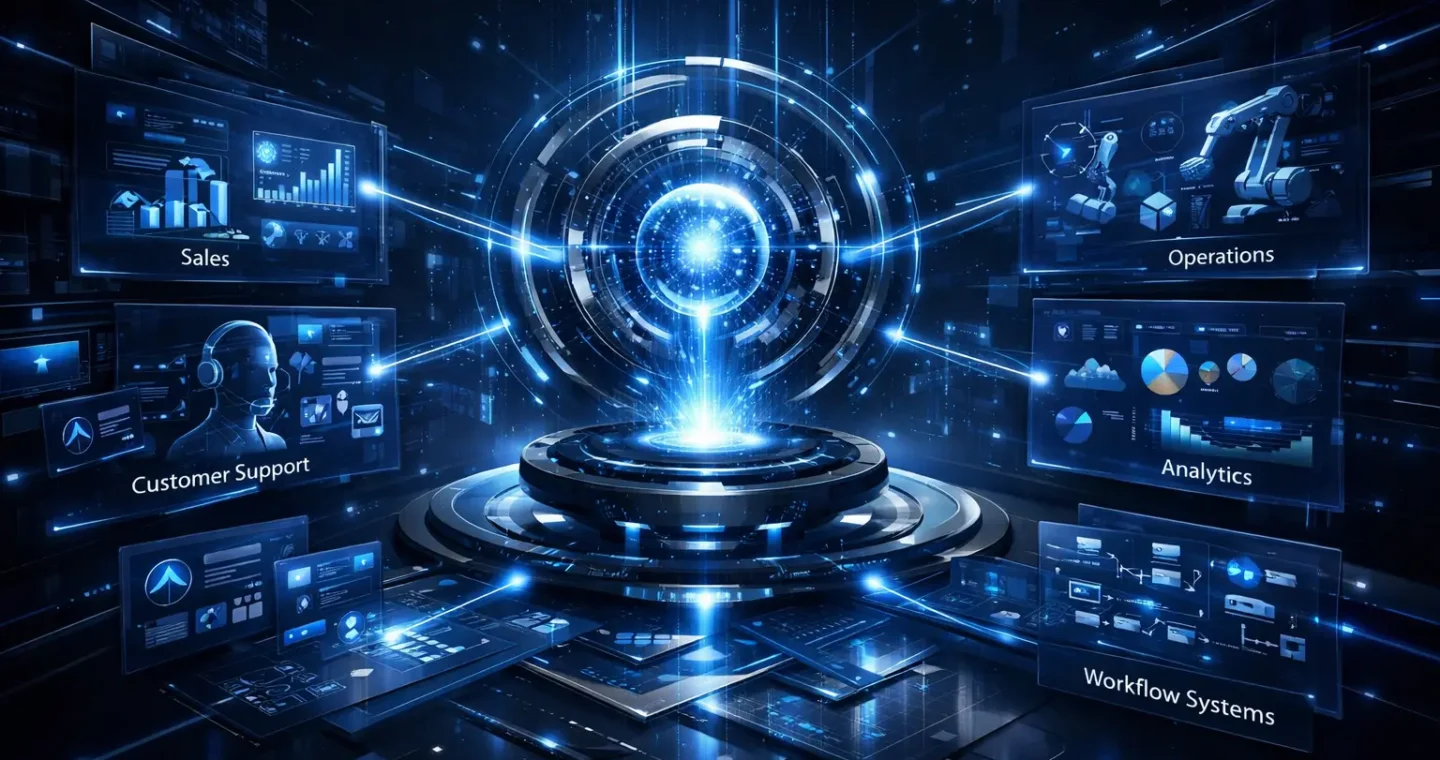
AI agents are quickly becoming one of the most important concepts in modern business automation.
But the term is often used too loosely.
Some people use “AI agents” to describe any AI system that can respond to prompts. Others use it for more advanced systems that can plan, use tools, remember context, make decisions, and complete tasks with limited human input. That distinction matters. Anthropic draws a clear line between simple workflows and agents: workflows follow predefined code paths, while agents dynamically choose actions and tools to achieve a goal. Microsoft similarly frames agent systems across a spectrum, from single-agent designs to more complex multi-agent orchestrations, depending on the task and operating environment.
For business leaders, operators, and technical teams, the real question is not whether AI agents are “the future.” It is where they actually fit, what types exist, and how to design them in a way that creates business value instead of operational chaos.
This guide explains what AI agents are, the main types of AI agents, common use cases, and the architecture patterns behind production-grade agent systems.
What AI Agents Actually Are
An AI agent is a software system that can perceive information, reason over it, decide what to do next, and take actions toward a goal.
In practice, that usually means the agent can do more than generate text. It can interact with tools, call APIs, retrieve information, follow multi-step logic, and sometimes maintain memory across tasks. The more capable versions can also break work into steps, evaluate outcomes, and adjust their next move based on feedback from the environment. That matches how major AI vendors and standards bodies increasingly describe agentic systems and autonomous systems: systems that can select and execute actions with reduced direct human intervention.
A simple chatbot answers questions.
An AI agent works toward an outcome.
That outcome could be:
- qualifying a lead
- routing support tickets
- pulling data from multiple systems
- generating a report
- updating a CRM
- escalating exceptions to a human reviewer
- coordinating multiple tools to finish a workflow
So the most practical definition is this:
AI agents are AI-powered systems that can interpret a goal, reason through the steps, use tools or external systems, and take actions to complete work with some degree of autonomy.
The Core Difference Between AI Agents and Traditional Automation
Traditional automation is rule-based.
You define the path in advance:
if X happens, do Y.
AI agents are goal-driven.
You define the outcome, the constraints, and the tools available. The agent then determines part of the execution path itself. That is why agents can handle more ambiguity than standard automations, but also why they require stronger governance, better observability, and tighter control.
This is also why many successful real-world implementations do not jump straight into “fully autonomous agents.” They begin with structured workflows, then add agentic behavior only where flexibility genuinely improves performance. Anthropic explicitly recommends starting with the simplest solution that works and increasing complexity only when the use case justifies the added cost and latency. Microsoft’s architecture guidance makes the same point for enterprise design.
The Main Components of an AI Agent
Most production AI agents are built from a few common layers.
Goal and instruction layer
This is the objective the agent is trying to achieve.
Examples:
- qualify inbound demo requests
- summarize and categorize support tickets
- produce a weekly executive operations report
- enrich CRM records before a sales handoff
A good agent starts with a clearly defined goal, scope, and success condition.
Reasoning layer
This is where the model interprets the task, decides what matters, and plans what to do next.
Depending on the design, reasoning may be lightweight and constrained or more open-ended and adaptive.
Memory and context layer
Agents often need access to context beyond the current prompt.
That can include:
- previous steps in the workflow
- customer account history
- internal knowledge bases
- conversation state
- approved policies and rules
- prior outputs or decisions
Anthropic describes memory, retrieval, and tool access as part of the augmented LLM building block behind agentic systems.
Tool layer
This is what allows the agent to take action.
Tools can include:
- CRM access
- email systems
- ticketing systems
- internal databases
- spreadsheets
- knowledge retrieval
- API endpoints
- web search
- document parsers
- workflow platforms
Without tools, many “agents” are just text generators.
Control and guardrail layer
This layer manages risk.
It can include:
- permission boundaries
- human approval checkpoints
- fallback logic
- rate limits
- action validation
- audit logs
- confidence thresholds
- retry policies
- stop conditions
This is one of the biggest differences between a demo agent and a production agent.
Types of AI Agents
There is no single universal taxonomy, but in business and technical implementation, these are the most useful types to understand.
Reactive agents
Reactive agents respond to current input and act immediately without maintaining deep memory or long-term planning.
They are useful when:
- the task is narrow
- the response path is short
- decisions are low risk
- speed matters more than complexity
Examples:
- classify a support message
- suggest a reply draft
- tag incoming leads by intent
- route requests to the right team
These are often the easiest agents to deploy.
Task-oriented agents
Task-oriented agents are built to complete a defined business task from start to finish.
They usually have:
- a specific goal
- limited tool access
- structured operating rules
- clear completion criteria
Examples:
- create a meeting brief from CRM and calendar data
- generate a proposal draft from intake inputs
- pull order issues from multiple systems and prepare a resolution summary
- enrich new accounts with firmographic data
For many B2B companies, this is the most commercially useful class of AI agent.
Conversational agents
Conversational agents maintain interaction across multiple turns and help users complete work through dialogue.
Examples:
- internal support assistants
- sales enablement copilots
- customer service agents with action-taking capability
- operations assistants for internal teams
These systems need stronger context handling, better memory design, and tighter escalation logic.
Single-agent systems
A single-agent system centralizes reasoning and execution in one main agent.
Microsoft recommends this model when the task is narrow, the context is centralized, and adding multiple agents would only increase complexity and coordination overhead.
This approach is usually best when:
- one agent can access all required context
- the workflow is manageable
- governance needs to stay simple
- operational overhead must stay low
Multi-agent systems
Multi-agent systems divide responsibilities across specialized agents.
One agent may plan. Another retrieves data. Another writes outputs. Another checks quality or compliance.
Microsoft describes multi-agent systems as a better fit for decomposable problems, dynamic environments, and scenarios that benefit from specialization or parallel work. But they also introduce more coordination, latency, maintenance, and governance complexity.
Use them when:
- tasks are complex and modular
- different roles require different expertise or toolsets
- parallelization creates real efficiency
- validation or review steps need separation of concerns
Autonomous agents
These are the systems most people imagine when they hear “AI agents.”
Autonomous agents operate with broader freedom, lower human involvement, and more open-ended decision paths. NIST’s recent work on agent standards and autonomous systems reflects growing attention to secure, interoperable agent behavior as these systems become more capable.
They can be powerful, but they also carry the highest operational and governance risk.
For most businesses, fully autonomous agents should be approached carefully and only after strong control systems are in place.
AI Agent Use Cases for Business
The strongest AI agent use cases are not random experiments. They sit inside repeatable workflows where there is enough structure to control quality, but enough variability that rule-based automation alone is not enough.
Sales and revenue operations
AI agents can help:
- qualify inbound leads
- enrich account data
- prepare meeting briefs
- generate follow-up drafts
- route leads by territory or fit
- summarize call notes into CRM fields
This reduces manual work and improves response speed.
Customer support
Support teams use agents to:
- triage tickets
- classify issue types
- suggest responses
- retrieve knowledge base answers
- escalate complex issues
- hand off to human agents with clean context
Single-agent and multi-agent architectures are especially relevant in contact center design, where specialized agents may handle classification, retrieval, response drafting, and escalation separately.
Internal operations
Operations teams use AI agents for:
- weekly reporting
- data reconciliation
- exception handling
- status summaries
- document processing
- approvals support
- handoff coordination between tools
This is often where businesses see practical early wins.
Finance and admin workflows
Examples include:
- invoice intake and validation
- contract data extraction
- expense policy checks
- procurement workflow assistance
- executive summary generation from operational data
These use cases usually need strong review checkpoints and clear permissions.
Knowledge work and research
AI agents can support:
- internal research
- document summarization
- policy lookup
- competitive brief generation
- proposal drafting
- cross-document synthesis
Anthropic highlights complex search and analysis tasks as an area where agentic patterns can provide real value when multiple rounds of tool use and evaluation are required.
Software and technical workflows
Agents are increasingly used for:
- code generation
- debugging
- test creation
- documentation drafting
- issue triage
- system investigation
NIST notes that modern agents can already perform tasks like writing and debugging code, managing email, and interacting with digital systems, which is one reason standardization and security are receiving more attention in 2026.
When AI Agents Make Sense
AI agents are a strong fit when the workflow has these traits:
- the outcome is clear
- the path to that outcome varies
- the task spans multiple steps
- the system must use external tools or information
- some judgment is needed
- humans currently do repetitive coordination work
Examples:
- “Prepare the account brief for tomorrow’s sales call.”
- “Review new support tickets, categorize them, retrieve relevant documentation, and draft next actions.”
- “Collect data from five systems and generate the weekly executive report.”
These are too variable for basic if-this-then-that automation, but structured enough for agentic systems.
When AI Agents Do Not Make Sense
Not every workflow should become an AI agent.
Avoid agents when:
- rules are simple and fixed
- the task has no ambiguity
- the cost of error is high and human review is mandatory anyway
- system permissions are difficult to control
- latency must be near-instant
- a standard automation can already solve the problem well
In many cases, a traditional workflow automation or a structured LLM workflow is the better choice.
That is one of the most important practical lessons from real implementations: start with the simplest architecture that reliably solves the problem, then increase agent autonomy only when there is a clear payoff.
AI Agent Architecture Explained
A useful way to think about AI agent architecture is as a stack.

Input layer
This is where the trigger comes from.
Examples:
- a user request
- a new support ticket
- a form submission
- a CRM event
- a scheduled workflow
- a document upload
Orchestration layer
This layer controls the flow of work.
It decides:
- what the agent should do first
- what tools it can access
- how outputs are checked
- when to escalate
- when to stop
- whether to call other agents
This can be simple orchestration or more advanced multi-agent coordination.
Intelligence layer
This is the model-driven reasoning engine.
It interprets the task, decides what information it needs, evaluates intermediate results, and generates outputs.
Retrieval and memory layer
This layer provides context the model does not natively know.
That can include:
- internal documents
- past interactions
- product data
- CRM records
- policy rules
- operational history
Action layer
This is where the agent actually does something.
Examples:
- update a record
- send a draft
- create a ticket
- call an API
- trigger an approval
- assign a task
- log an outcome
Monitoring and governance layer
This layer is essential in production.
It includes:
- observability
- logging
- exception tracking
- quality review
- compliance controls
- permissioning
- auditability
- human-in-the-loop checkpoints
Without this layer, agent systems become difficult to trust and difficult to scale.
Single-Agent vs Multi-Agent Architecture
This is one of the most important design choices.
Single-agent architecture
Choose this when:
- the workflow is straightforward
- one agent can hold the needed context
- you want simpler maintenance
- latency and coordination cost matter
- centralized control is a benefit
Benefits:
- simpler implementation
- easier governance
- lower coordination overhead
- more predictable execution
Multi-agent architecture
Choose this when:
- the problem can be decomposed into specialized roles
- different tools or knowledge domains are involved
- parallel work improves performance
- modularity matters
- one agent becomes too overloaded
Benefits:
- specialization
- modular system design
- better scalability
- clearer separation of concerns
Tradeoff:
- more orchestration complexity
- more monitoring requirements
- more opportunities for failure between agents
Microsoft’s guidance is clear here: do not choose multi-agent architecture because it sounds advanced. Choose it only when complexity is justified by the use case.
Common Risks in AI Agent Systems
AI agents are powerful, but they are not magic.
The most common risks include:
- hallucinated outputs
- wrong tool usage
- incomplete task completion
- permission overreach
- fragile memory or context windows
- inconsistent behavior
- poor exception handling
- lack of auditability
- high latency
- unnecessary cost
NIST’s recent AI agent initiative and broader autonomous systems work both reflect that trust, interoperability, and secure behavior are now central concerns as agents take more actions on behalf of users.
This is why strong architecture matters more than flashy demos.
Best Practices for Implementing AI Agents
Start with one narrow business outcome
Do not begin with “build us an AI agent.”
Begin with:
- reduce support triage time
- automate meeting brief preparation
- improve CRM data enrichment
- accelerate weekly reporting
Specific outcomes create better systems or contact AI Automation Services.
Keep tool access limited
Only give agents the tools and permissions they actually need.
Least-privilege access should be the default.
Use human approval where risk is high
For actions involving customers, contracts, finance, compliance, or irreversible changes, human review should remain in the loop.
Separate retrieval from action where needed
In many workflows, it is better for one step to gather and structure information before a later step takes action.
This improves quality and reduces silent failure.
Measure business outcomes, not only model quality
Track:
- time saved
- cycle time reduction
- throughput gains
- error rates
- escalation rates
- completion quality
- adoption by teams
If the system does not improve business performance, it is not a successful agent implementation.
Favor simplicity over novelty
The strongest agent systems are usually not the most complicated ones.
They are the ones with:
- clear scope
- constrained tools
- good observability
- defined checkpoints
- measurable ROI
That principle is consistent across both vendor guidance and enterprise architecture recommendations.
AI Agents vs Chatbots vs Workflows
A chatbot is primarily an interface.
A workflow is primarily a predefined sequence.
An AI agent is primarily an outcome-driven system that can decide how to proceed within boundaries.
A practical way to think about it:
- chatbot = answers
- workflow = executes fixed logic
- agent = reasons, decides, and acts toward a goal
In reality, many systems combine all three.
For example:
- a chatbot can be the front-end
- the workflow can manage control logic
- the agent can handle reasoning and tool use inside the flow
The Future of AI Agents in Business
AI agents will likely become a core layer in business operations, but not as fully uncontrolled digital workers replacing everything overnight.
The near-term pattern is more practical:
- structured agent workflows
- strong tool integration
- tighter governance
- selective autonomy
- narrow high-value use cases first
That direction is reinforced by the current enterprise guidance coming from AI labs, cloud providers, and standards bodies: capability is increasing, but so is the need for architecture discipline, permissions, observability, and secure interoperability.
Final Takeaway
AI agents are not just smarter chatbots.
They are systems designed to pursue goals, use tools, reason through multi-step work, and take actions with varying degrees of autonomy.
The key to using them well is not chasing the most advanced architecture.
It is choosing the right level of intelligence and control for the job.
For most B2B companies, the winning path is:
- start with a narrow use case
- define the business outcome clearly
- constrain the tools and permissions
- build observability in from the start
- use human review where risk is real
- scale complexity only when the workflow justifies it
That is how AI agents move from hype to operational value.